Move beyond Teams. UniShare keeps your collaboration secure, synchronized, and fully compliant. Right here at the University of Twente.
Secure Data Sharing with External Partners – Introducing UniShare
When collaborating with external partners, it can be challenging to share and receive data securely, especially when handling personal or sensitive data. It is also difficult to synchronize data among multiple partners.
Although Microsoft Teams is often used to meet these needs, it is not ideal for research data storage and sharing because:
- It is owned by a U.S. company, which raises concerns given current geopolitical tensions.
- It lacks a full backup system, making data vulnerable to accidental deletion, corruption, or cyber threats.
A Better alternative: UniShare
To facilitate secure data sharing and synchronization among partners from multiple institutions, the BMS Faculty has decided to cover the UniShare costs to promote its use.
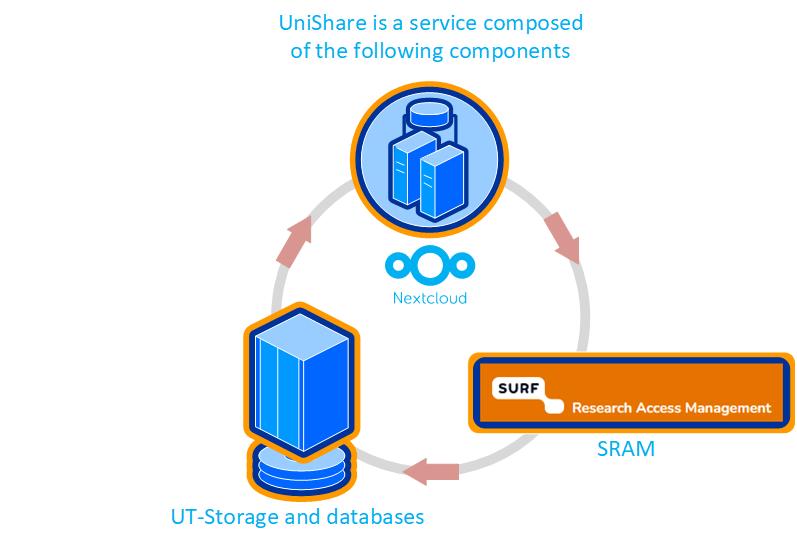
UniShare allows team members to store, update, and share data securely, with all research data stored and backup safely (ISO27001/NEN7510) in the datacenters of the University of Twente (UT). Access control can be managed by the project leader or Principal Investigator (PI).
How to Apply for UniShare
Researchers at BMS are welcome to apply for UniShare. Note: If your project has external funding for data storage, it’s preferable to use that.
The steps on how to apply are on the intranet.
You need to log in to the UT Self-Service Portal to submit your UniShare request: https://selfservice.utwente.nl/dataservices
Setting Up UniShare
Once the application is approved. The setup process can then be initiated as follows:
- Admin Roles
For each research project, the project profile holder can request the creation of a UniShare folder and will become the primary administrator (“admin”) of the research group. A second admin can also be designated as a backup in case the primary admin leaves the project. - Collaboration group on UniShare
Once the request is approved, a group will be created. The two designated admins will automatically become the first members and can invite additional team members to join.
Questions + Guidance
For questions applying or setting up Unishare, reach out to servicedesk-ict@utwente.nl. Phone 5577
Or check the manual on how to collaborate and share data in Unishare
For BMS staff who have already applied for Unishare for their project. We will transfer the financial data for your project to BMS as of January 1, 2026.